
Close Menu
    What's Hot

    How Many Continents Are There in the World? The 7 Continents Explained

    November 10, 2026

    How to Start a Small Business From Home: A Step-by-Step Beginner’s Guide

    November 10, 2026

    What Is Inflation in Simple Words? Causes, Examples and Effects Explained

    November 10, 2026
    Facebook X (Twitter) Instagram
    Trending Now
    • How Many Continents Are There in the World? The 7 Continents Explained
    • How to Start a Small Business From Home: A Step-by-Step Beginner’s Guide
    • What Is Inflation in Simple Words? Causes, Examples and Effects Explained
    • What Is the Best Time to Visit Thailand? Weather, Seasons and Prices Explained
    • How Many Players Are in a Cricket Team? Roles, Substitutes and Squads Explained
    • How to Improve Eyesight Naturally: Habits, Foods and Exercises That Help
    • How Many Calories in an Egg? Boiled, Fried and Scrambled Compared
    • How Long to Boil an Egg: Times for Soft, Medium and Hard Boiled
    Facebook X (Twitter) Instagram Vimeo
    CFC Daily
    Login
    • Home
    • Politics

      How Often Are Elections Held in the UK and the USA? Explained Simply

      October 28, 2026

      What Is the Difference Between the UK Parliament and the US Congress?

      October 27, 2026
    • Technology

      What Is 5G and How Does It Work? Explained Simply

      November 10, 2026

      How to Take a Screenshot on a Laptop: Windows, Mac and Chromebook Steps

      November 10, 2026

      Why Is My Laptop So Slow? Simple Fixes That Actually Work

      November 7, 2026

      Why Does My Wi-Fi Keep Dropping? Causes and Easy Fixes

      November 7, 2026

      Why Does My Phone Battery Drain So Fast? Common Causes and Fixes

      November 6, 2026
    • Sports
    • Health
    • Business
    • Lifestyle
    • Travel
    • Contact
    CFC Daily
    • Home
    • Politics
    • Business
    • Technology
    • Contact Us
    • Privacy Policy
    • About Us
    • Advertise With Us
    • Disclaimer
    • Terms & Conditions
    Home » How to Take a Screenshot on a Laptop: Windows, Mac and Chromebook Steps
    Technology

    How to Take a Screenshot on a Laptop: Windows, Mac and Chromebook Steps

    adminBy adminNovember 10, 2026No Comments5 Mins Read
    Facebook Twitter Pinterest LinkedIn Tumblr WhatsApp VKontakte Email
    How to Take a Screenshot on a Laptop: Windows, Mac and Chromebook Steps
    Share
    Facebook Twitter LinkedIn Pinterest Email

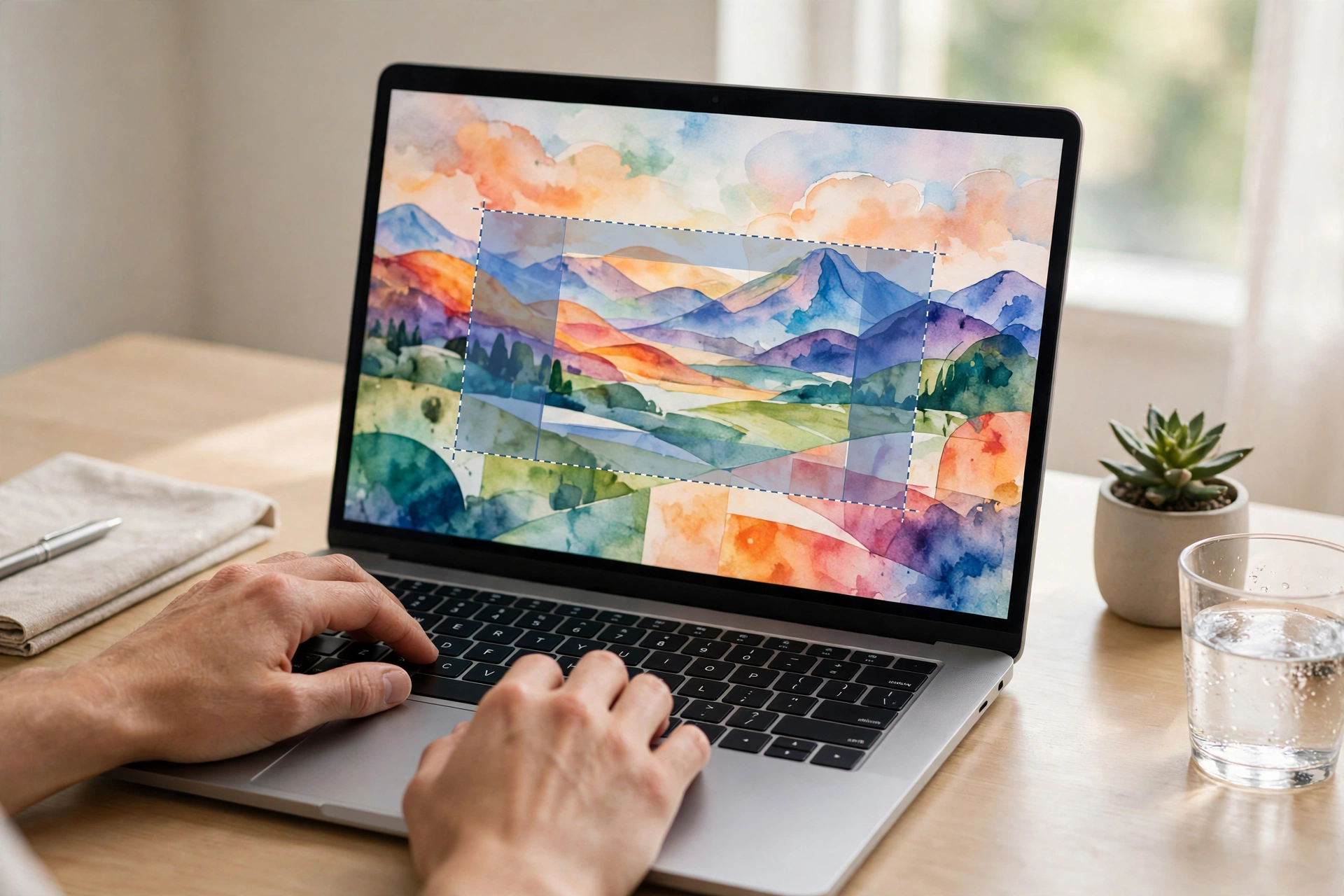
    The fastest way to take a screenshot on a laptop is a keyboard shortcut. On a Windows laptop, press the Windows key + Shift + S to capture part of the screen, or Windows + Print Screen to save the whole screen as a file. On a MacBook, press Shift + Command + 3 for the whole screen or Shift + Command + 4 for a chosen area. On a Chromebook, press Ctrl + Show Windows. This guide walks through every method, system by system, including how to capture one window, how to screenshot part of the screen, and where your screenshots actually go afterwards.

    How to Take a Screenshot on a Laptop Running Windows

    Windows gives you several ways to do the same job, and the best one depends on whether you want a file saved automatically or an image you can paste somewhere.

    The classic method is the Print Screen key, labelled PrtSc, PrntScrn or similar, usually in the top row of the keyboard. Pressing it alone copies the whole screen to the clipboard; nothing is saved until you paste it with Ctrl + V into Paint, Word, an email or a chat window and save it from there. Pressing Windows + Print Screen instead saves the full screen straight to a file in the Pictures > Screenshots folder, and the screen briefly dims to confirm it worked. Alt + Print Screen captures only the window you are using, which is ideal when you want one app without your whole desktop around it.

    For most people, though, the best method is Windows + Shift + S. The screen dims and a small toolbar appears: drag a rectangle around any part of the screen, capture one window, or take the full screen. The image is copied to the clipboard and a notification pops up; click it to open the Snipping Tool, where you can draw on the screenshot, crop it and save it wherever you like.

    How to Take a Screenshot on a MacBook

    Mac shortcuts follow one pattern. Shift + Command + 3 captures the entire screen. Shift + Command + 4 turns the pointer into a crosshair so you can drag over the exact area you want; press and release the Space bar after the same keys and you can click one window to capture it neatly, shadow included. Shift + Command + 5 opens the full screenshot toolbar, which adds options to record the screen as a video and to choose where screenshots are saved.

    By default, Mac screenshots land on the Desktop with a name that starts “Screenshot” followed by the date and time. If an image seems to vanish, look there first. You can change the save location from the Options menu in the Shift + Command + 5 toolbar.

    How to Take a Screenshot on a Chromebook

    Chromebooks use the Show Windows key, the one that looks like a rectangle with two lines beside it, sitting in the top row of the keyboard. Ctrl + Show Windows captures the whole screen. Shift + Ctrl + Show Windows lets you drag over part of the screen, and the built-in Screen Capture tool in the quick settings panel offers the same choices with a mouse instead of shortcuts.

    Screenshots are saved to the Downloads folder and also copied to the clipboard, so you can paste one straight into a document or message. If your Chromebook keyboard is actually a Windows keyboard plugged into it, use Ctrl + F5 in place of Show Windows.

    Where Do My Screenshots Go?

    This is the part that frustrates beginners most, because each system behaves differently. On Windows, only the Windows + Print Screen method saves a file automatically (Pictures > Screenshots); the other shortcuts copy to the clipboard, and the screenshot is lost if you copy something else before pasting it. On a Mac, screenshots save to the Desktop unless you changed the location. On a Chromebook, they save to Downloads. Screenshots are ordinary image files, usually PNG, so once you find the folder once, you will always know where to look.

    Simple Edits and Sharing

    A screenshot rarely needs much editing. The Windows Snipping Tool and the Mac preview that appears in the corner of the screen both let you crop, draw arrows and add highlights before saving, which covers most needs. After that, screenshots attach to emails and messages like any other photo. If you keep a lot of them, our guide to what cloud storage is and how it works explains how to keep them backed up and reachable from your phone as well as your laptop.

    Whichever laptop you own, one shortcut is all you need to learn. Pick the method for your system from this guide, use it twice, and taking a screenshot becomes as automatic as copying and pasting.

    Share. Facebook Twitter Pinterest LinkedIn Tumblr WhatsApp Email
    Previous ArticleHow Can I Stop Procrastinating? Simple Methods That Actually Work
    Next Article What Is 5G and How Does It Work? Explained Simply
    admin
    • Website

    Related Posts

    What Is 5G and How Does It Work? Explained Simply

    November 10, 2026

    Why Is My Laptop So Slow? Simple Fixes That Actually Work

    November 7, 2026

    Why Does My Wi-Fi Keep Dropping? Causes and Easy Fixes

    November 7, 2026

    Why Does My Phone Battery Drain So Fast? Common Causes and Fixes

    November 6, 2026
    Leave A Reply Cancel Reply

    Our Picks
    • Facebook
    • Twitter
    • Pinterest
    • Instagram
    • YouTube
    • Vimeo
    Don't Miss
    Lifestyle

    How Many Continents Are There in the World? The 7 Continents Explained

    By adminNovember 10, 20260

    Most of the world learns that there are 7 continents, but some countries teach 6 or even 5. Here is the full list, largest to smallest, and why the counts differ.

    How to Start a Small Business From Home: A Step-by-Step Beginner’s Guide

    November 10, 2026

    What Is Inflation in Simple Words? Causes, Examples and Effects Explained

    November 10, 2026

    What Is the Best Time to Visit Thailand? Weather, Seasons and Prices Explained

    November 10, 2026
    About Us
    About Us

    CFC Daily is an online daily news website covering politics, technology, sports, health, business, lifestyle and travel.

    Contact: cfcdaily0.com@gmail.com

    Our Picks

    How Many Continents Are There in the World? The 7 Continents Explained

    November 10, 2026

    How to Start a Small Business From Home: A Step-by-Step Beginner’s Guide

    November 10, 2026

    What Is Inflation in Simple Words? Causes, Examples and Effects Explained

    November 10, 2026
    Contact Info

    Email At: Cfcdaily0.com@gmail.com

    Facebook X (Twitter) Instagram Pinterest
    • Home
    • Politics
    • Business
    • Technology
    • Contact Us
    • Privacy Policy
    • About Us
    • Advertise With Us
    • Disclaimer
    • Terms & Conditions
    Copyright © 2026 CFCDaily All Rights Reserved.

    Type above and press Enter to search. Press Esc to cancel.

    Sign In or Register

    Welcome Back!

    Login to your account below.

    Lost password?